News and Articles


Latest DVD News
Latest Blu-Ray News
Latest Columns
 
Features
Interviews
Articles

DVD Reviews


Latest Reviews
MyReviewer
Software Reviews
Hardware Reviews
Search for


Discussions


All Forums
General
DVDs & Films
Hardware
PCs & Mobiles
Music
Gaming
Sports
Reality TV
Easter Eggs
Trading
Retailer Reviews
Bargain Buckets
Region Hacks

Your Account


Login
Lost Password
Options
New User

Region Hacks


Multi-Region Hacks
Hack Help Forum

Information


Glossary
FAQ: rec.video.dvd
Awards 2006

Fun Stuff


Purity Test
DVD Game
Gremlins

Search the Site


Search for the words:

in the categories:
and

About Us


About This Site
Meet the Team
Advertise With Us
Contact Us
Advertising Policy
Privacy Policy


Multi-Region Hacks for JVC THA5R

Quick Overview
The hack listed below is non-destructive, and will not invalidate your players warranty. To perform the correct sequence of steps you will only need access to your players front panel and its remote control. Always make sure that the drive tray is empty before following the procedure listed below.

Whilst DVD Reviewer has made every effort to ensure that the information contained inside these pages is both accurate and up-to-date, we take NO responsibility and accept no liability for any damage caused from applying these hacks as laid down on these pages. Use them at your own risk!


How to convert your JVC THA5R player into a multi-region compatible machine
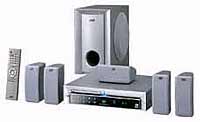
To temporarily change the region on this player
1. Press and hold the Stop button on the DVD player until Initial is displayed on the on-screen display and the player LCD display
2. Release the Stop button on the DVD player
3. Press the Open/Close button on the DVD player to open the disc tray
4. Insert a DVD of your chosen region into the drive tray
5. Press the Open/Close button on the DVD player to close the disc tray
NB: You must complete steps 3-5 whilst Initial is still being displayed
6. Your player will now be set to the region of the DVD you inserted into the player, until you next power it off
Visit our Sponsors

Click here to return to the list of players

We do our best to ensure all the above information is accurate, however if you believe this not to be the case please notify the and we will do our best to make any corrections necessary. However we regret that we cannot answer requests for assistance via email, please use the Hack Help Forum.

Various images © of Twentieth Century Fox, Warner Brothers, Universal Studios, or their respective copyright holders, All Rights Reserved.
All other images and all content © 1999-2006 Reviewer Ltd., All Rights Reserved.
DVD Reviewer and its logo is a registered trademark of Reviewer Ltd.